
Self-Host Statusnook: Simple & Beautiful Status Page Platform
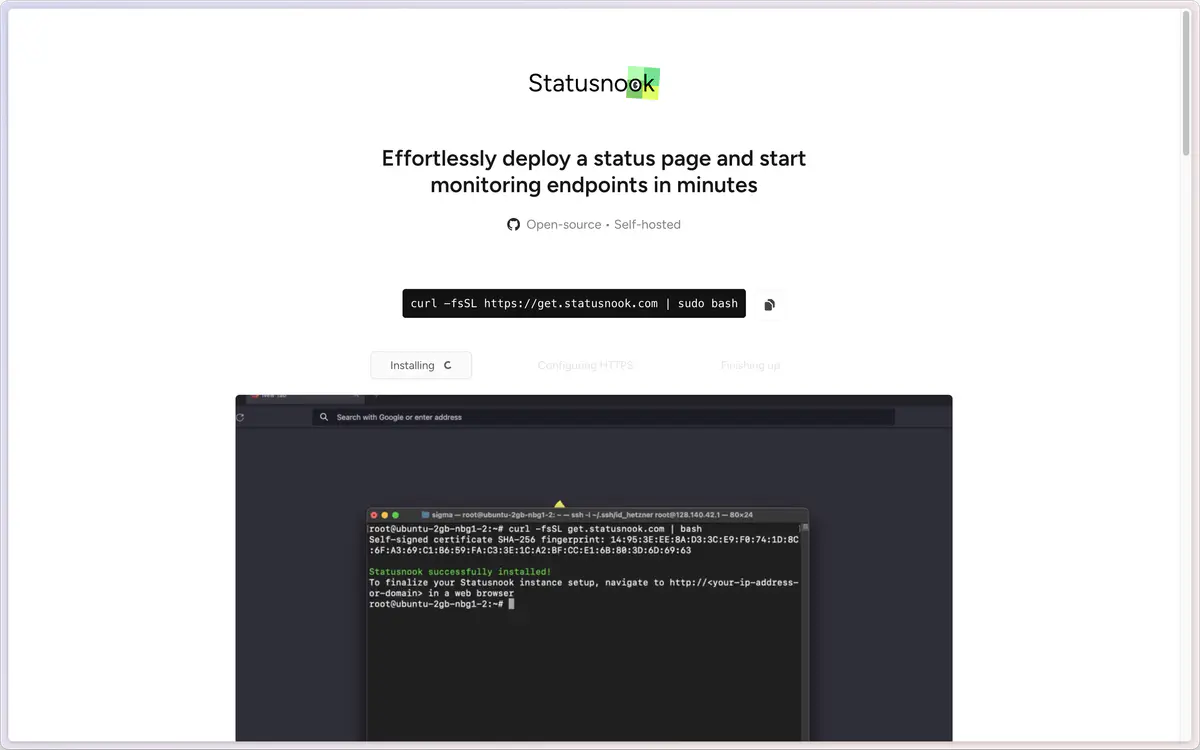
What is Statusnook?
Statusnook is a lightweight, self-hosted status page platform designed for effortless incident communication and service monitoring. This beautiful alternative to StatusPage.io, Atlassian Statuspage, and other commercial status page services provides real-time service status updates, incident management, and maintenance notifications. Perfect for startups, growing companies, and enterprises who want professional status pages without monthly subscription costs.
Key Features of Statusnook Platform
📊 Beautiful Status Pages
- Modern Design: Clean, responsive status pages that look professional on all devices
- Custom Branding: Add your logo, colors, and custom CSS for brand consistency
- Multiple Themes: Choose from various pre-built themes or create custom designs
- Real-Time Updates: Live status updates without page refreshes
- Mobile Optimized: Perfect viewing experience on smartphones and tablets
🔔 Incident Management
- Incident Creation: Quick incident reporting with severity levels and affected services
- Status Updates: Real-time incident progress updates with timestamp tracking
- Maintenance Windows: Schedule and communicate planned maintenance to users
- Resolution Tracking: Complete incident lifecycle from detection to resolution
- Historical Timeline: Maintain comprehensive incident history for transparency
🚨 Monitoring & Alerts
- Endpoint Monitoring: Built-in uptime monitoring for websites, APIs, and services
- Custom Health Checks: Configure monitoring intervals and response time thresholds
- Automatic Incident Creation: Auto-generate incidents based on monitoring failures
- Multiple Notification Channels: Email, Slack, Discord, and webhook notifications
- Escalation Policies: Define alert escalation based on incident severity
⚙️ Easy Management
- Automatic HTTPS: SSL certificate provisioning and renewal with Let's Encrypt
- In-App Updates: Effortless software updates without SSH or manual intervention
- Reverse Proxy Support: Easy integration with existing infrastructure and CDNs
- Multi-User Access: Team collaboration with role-based permissions
- API Integration: RESTful API for automation and third-party integrations
Why Choose Statusnook Over Commercial Alternatives?
Statusnook vs Atlassian Statuspage ($29-899/month)
| Feature | Statusnook (Self-Hosted) | Atlassian Statuspage |
|---|---|---|
| Monthly Cost | Free & Open Source | $29-899/month |
| Page Limits | ✅ Unlimited | ❌ Limited by Plan |
| Custom Branding | ✅ Full Customization | ❌ Limited Options |
| Data Ownership | ✅ Complete Control | ❌ Atlassian Servers |
| Monitoring Included | ✅ Built-In | ❌ Separate Service |
| API Access | ✅ Full API | ❌ Limited by Plan |
Statusnook vs StatusPage.io ($29-299/month)
- Cost Efficiency: One-time setup vs ongoing monthly subscriptions
- Customization: Complete control over appearance vs template limitations
- Privacy: Self-hosted data vs third-party data processing
- Integration: Custom API development vs platform restrictions
Statusnook vs Uptime Kuma
Statusnook Advantages:
- Automatic HTTPS: Built-in SSL certificate management
- In-App Updates: Easy upgrades without manual intervention
- Status Page Focus: Designed specifically for public status communication
- Reverse Proxy Support: Better integration with existing infrastructure
Uptime Kuma Advantages:
- Detailed Metrics: More comprehensive monitoring statistics
- User Interface: More feature-rich monitoring dashboard
- Monitor Types: Wider variety of endpoint monitoring options
Quick Deployment Options
Option 1: One-Click Zeabur Deploy (Recommended)
Perfect for quick setup with automatic HTTPS and domain management.

Why Zeabur for Statusnook?:
- Zero Configuration: Automatic containerized deployment with optimal settings
- Built-in HTTPS: Automatic SSL certificate provisioning and renewal
- Custom Domains: Easy domain binding with DNS management
- Auto-Scaling: Handle traffic spikes during incident communications
Deployment Steps:
- Click Deploy: Use the button above for instant deployment
- Configure Domain: Bind your custom domain in Zeabur dashboard
- Access Dashboard: Navigate to your Statusnook admin panel
- Setup Services: Add your services and configure monitoring
Option 2: Docker Self-Hosting
Ideal for users with existing infrastructure and specific customization needs.
# Quick start with Docker
docker run -d \
  --name statusnook \
  -p 3000:3000 \
  -v statusnook_data:/app/data \
  -e DOMAIN=your-domain.com \
  -e ADMIN_EMAIL=admin@your-domain.com \
  statusnook/statusnook:latest

# Access Statusnook at http://localhost:3000
Option 3: Docker Compose Production Setup
Complete production deployment with database and reverse proxy.
version: '3.8'
services:
  statusnook:
    image: statusnook/statusnook:latest
    ports:
      - "3000:3000"
    environment:
      - DATABASE_URL=postgresql://statusnook:password@postgres:5432/statusnook
      - DOMAIN=your-domain.com
      - ADMIN_EMAIL=admin@your-domain.com
      - SECRET_KEY=your-secret-key
    depends_on:
      - postgres
    volumes:
      - statusnook_data:/app/data

  postgres:
    image: postgres:15
    environment:
      - POSTGRES_USER=statusnook
      - POSTGRES_PASSWORD=secure_password
      - POSTGRES_DB=statusnook
    volumes:
      - postgres_data:/var/lib/postgresql/data

  nginx:
    image: nginx:alpine
    ports:
      - "80:80"
      - "443:443"
    volumes:
      - ./nginx.conf:/etc/nginx/nginx.conf
      - ./ssl:/etc/nginx/ssl
    depends_on:
      - statusnook

volumes:
  statusnook_data:
  postgres_data:
Getting Started with Statusnook
Initial Setup Process
- Deploy Instance: Choose your preferred deployment method above
- Access Dashboard: Navigate to your Statusnook admin panel
- Configure Settings: Set up basic configuration and branding
- Create Services: Define the services you want to monitor and display
- Customize Appearance: Apply your brand colors, logo, and custom styling
Essential Configuration Steps
- Domain Setup: Configure your custom domain with automatic HTTPS
- Service Configuration: Add services with descriptions and monitoring URLs
- Notification Setup: Configure email, Slack, or webhook notifications
- Team Access: Invite team members with appropriate permissions
- Monitoring Rules: Set up uptime monitoring and alert thresholds
Video Tutorial
Watch the complete setup guide: Statusnook Deployment Tutorial
Popular Use Cases
SaaS Platform Status Pages
- Service Status: Display real-time status of application components and APIs
- Incident Communication: Transparent incident reporting and resolution progress
- Maintenance Notifications: Communicate scheduled maintenance windows to users
- Performance Metrics: Show response times and uptime statistics
E-commerce Platform Monitoring
- Website Availability: Monitor main site, checkout process, and payment systems
- API Monitoring: Track third-party integrations and payment gateways
- Regional Status: Display service status across different geographic regions
- Customer Communication: Keep customers informed during service disruptions
Enterprise Internal Services
- IT Infrastructure: Monitor internal applications and infrastructure components
- Employee Communication: Keep staff informed about internal service availability
- Vendor Dependencies: Track external service dependencies and their impact
- Compliance Reporting: Maintain uptime records for audit and compliance purposes
Advanced Features & Best Practices
Custom Branding
/* Custom CSS for your status page */
:root {
  --primary-color: #your-brand-color;
  --secondary-color: #your-accent-color;
  --background-color: #ffffff;
  --text-color: #333333;
}

.header {
  background: linear-gradient(135deg, var(--primary-color), var(--secondary-color));
}

.service-item {
  border-left: 4px solid var(--primary-color);
}

.incident-critical {
  background-color: #ffe6e6;
  border-left-color: #dc3545;
}
Monitoring Configuration
// Service monitoring configuration
{
  "name": "API Service",
  "url": "https://api.yourservice.com/health",
  "method": "GET",
  "timeout": 30,
  "interval": 60,
  "expected_status": 200,
  "expected_response": "healthy",
  "headers": {
    "Authorization": "Bearer health-check-token"
  }
}
Incident Response Workflow
- Detection: Automatic incident creation from monitoring alerts
- Acknowledgment: Team member acknowledges and begins investigation
- Communication: Regular status updates posted to status page
- Resolution: Incident marked as resolved with summary
- Post-Mortem: Document lessons learned and prevention measures
Statusnook Community & Resources
- Official Website: statusnook.com
- GitHub Repository: Open-source development and community contributions
- Documentation: Comprehensive setup and configuration guides
- Video Tutorials: Step-by-step deployment and configuration videos
- Community Support: GitHub issues and discussions for user assistance
Migration & Implementation Guide
From Atlassian Statuspage
- Service Export: Document existing services and their monitoring configurations
- Statusnook Setup: Deploy and configure your self-hosted instance
- Service Recreation: Add equivalent services with monitoring rules
- Historical Data: Import or recreate important historical incidents
- DNS Update: Point your status page domain to Statusnook
From Other Status Page Services
- Configuration Backup: Export current status page settings and data
- Brand Recreation: Apply your existing branding to Statusnook
- Monitoring Migration: Set up equivalent uptime monitoring rules
- Team Migration: Add team members with appropriate access levels
- Integration Update: Update any API integrations to use Statusnook
Create beautiful, professional status pages with Statusnook - the self-hosted alternative that gives you complete control over your service communication without ongoing subscription costs.


